
Backups
Before every change Lanyard makes to ~/.ssh/config or ~/.ssh/known_hosts, it saves a copy of the file. The Backups page lists them, newest first, with what caused each one.
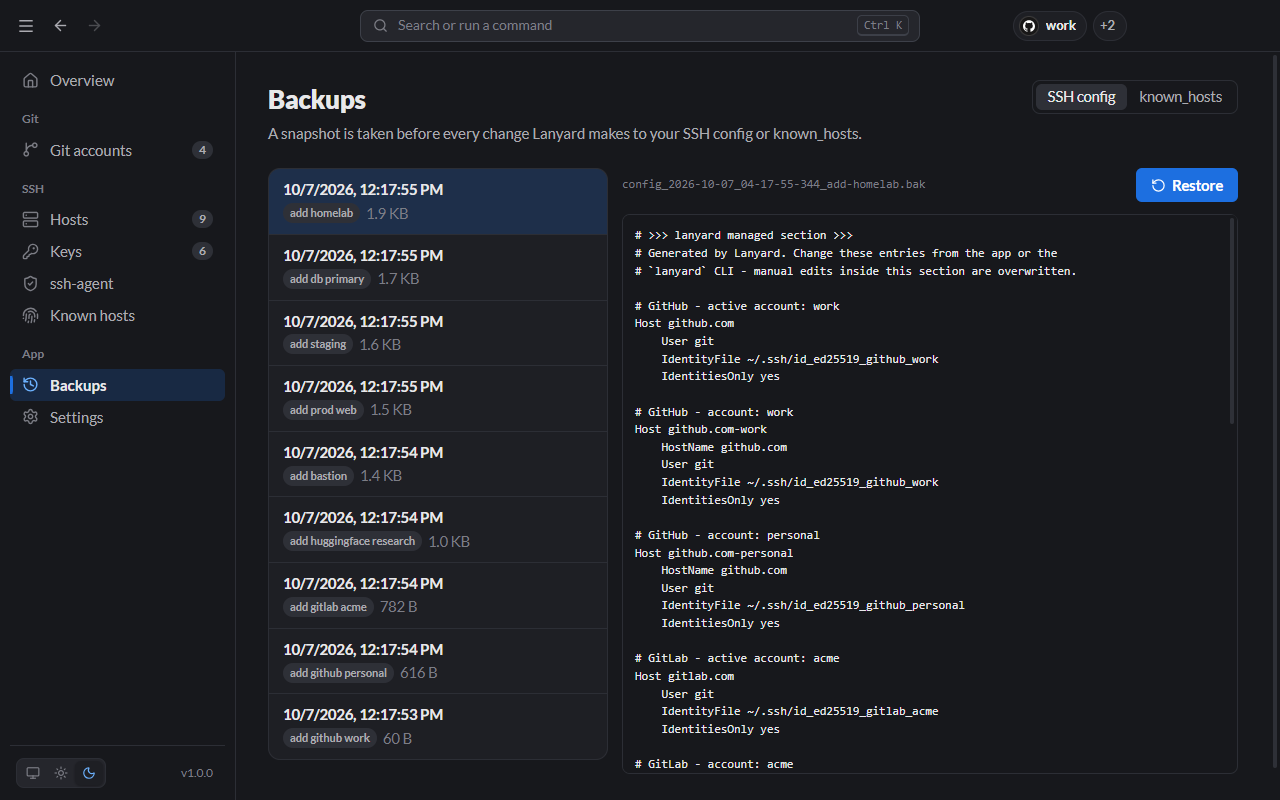
Restore a backup
- Pick SSH config or known_hosts at the top.
- Select a backup on the left. Its contents appear on the right.
- Click Restore.
Restoring is itself backed up, so you can undo a restore the same way.
From the CLI:
Terminal
lanyard backups list
lanyard backups show <id>
lanyard backups restore <id>Where backups are kept
In ~/.lanyard/backups, as plain text files named after the file, the time and the change, for example config_2026-10-07_04-17-55-344_add-homelab.bak.
Lanyard keeps the 30 most recent backups of each file. Change the number in Settings → Backups to keep.