SSH keys
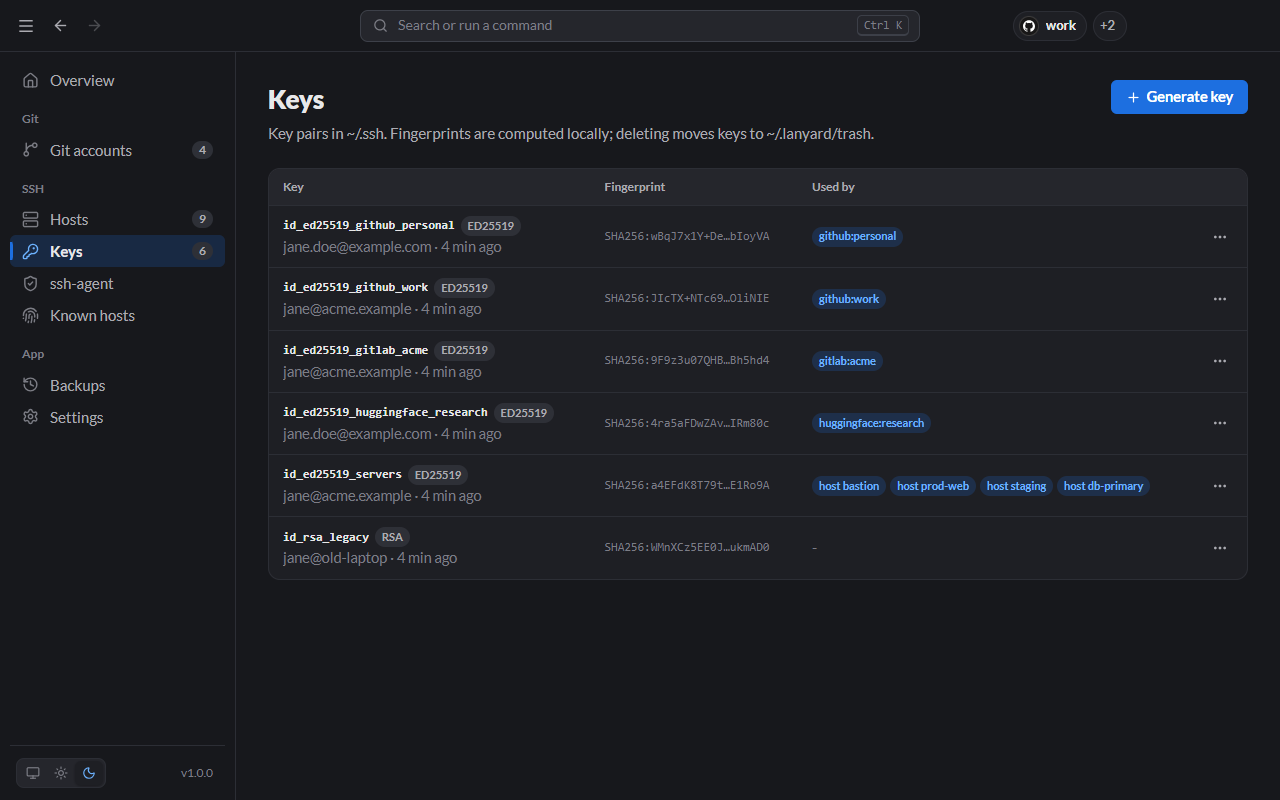
Generate keys, add or change passphrases, and see which account or server uses each one.
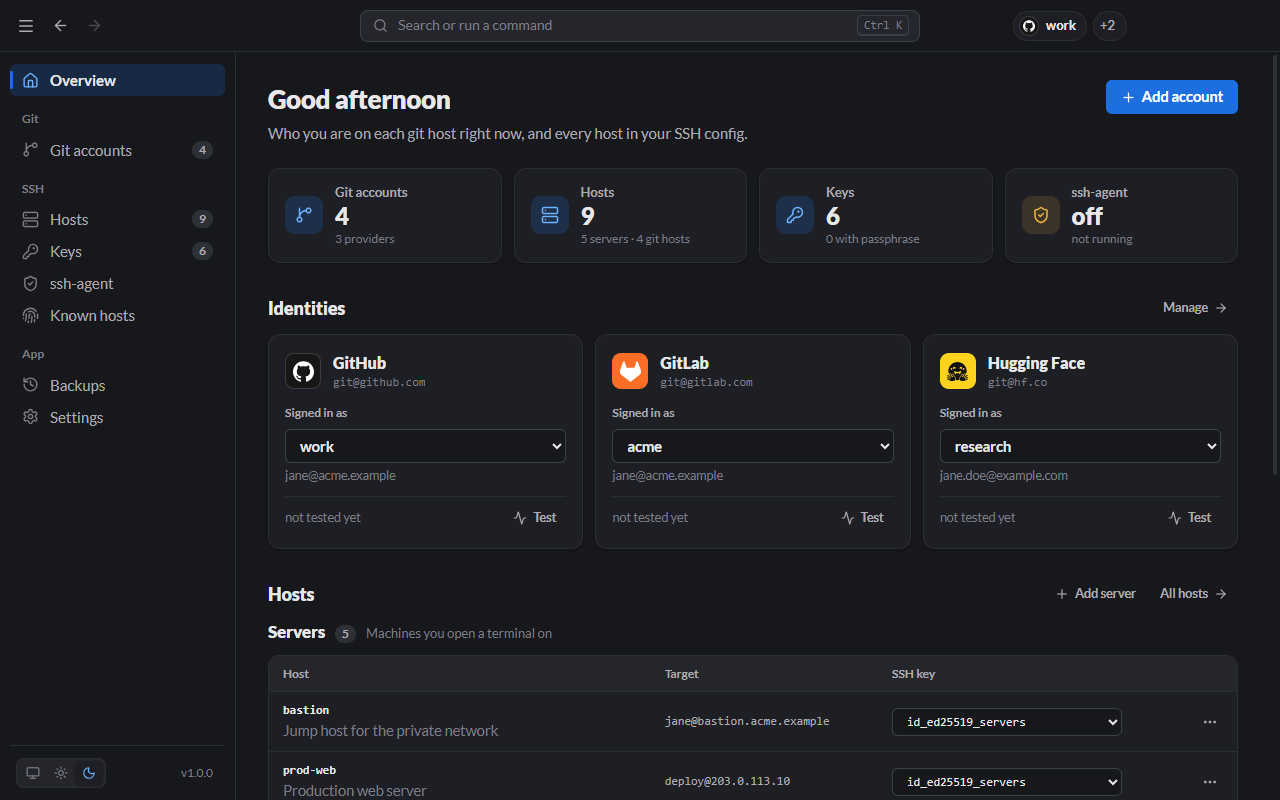
Switch between accounts on GitHub, GitLab, Bitbucket, Hugging Face or any other git host in one click, and manage every server in your SSH config from one list.
Other platforms · Windows, macOS and Linux
 Lanyard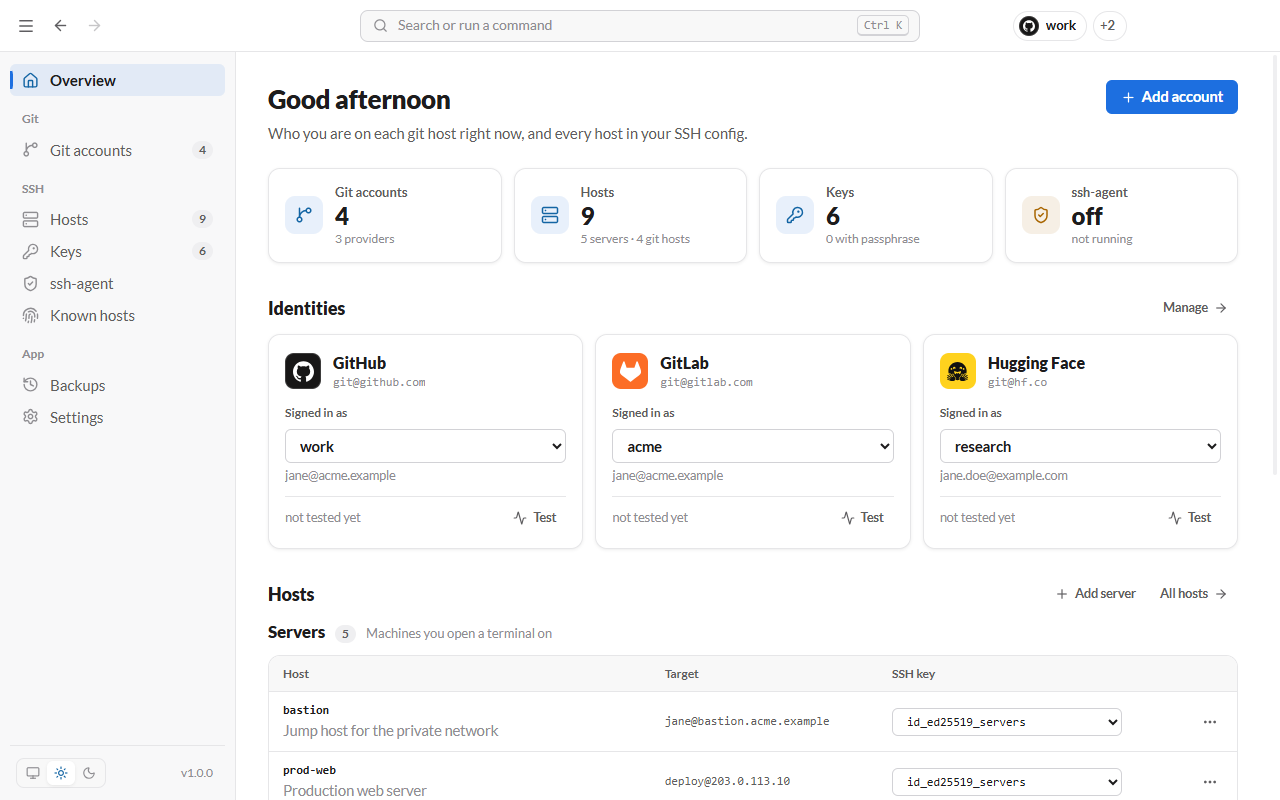
THE PROBLEM
SSH offers whichever key it finds first. Pushes to a client repo fail, or go through under the wrong account with the wrong email on every commit.
$ git push
ERROR: Permission to acme/app.git denied to jane-personal.
fatal: Could not read from remote repository.
With Lanyard$ lanyard use github work $ git push To github.com:acme/app.git 3f2a1c9..8b4e0d2 main -> main
Lanyard points git@github.com at the account you pick, sets the commit name and email to match, and gives each account its own alias host for the times you need both.
Add each account once with its own SSH key, name and email. Switching rewrites only what git needs, on any host you push to over SSH.
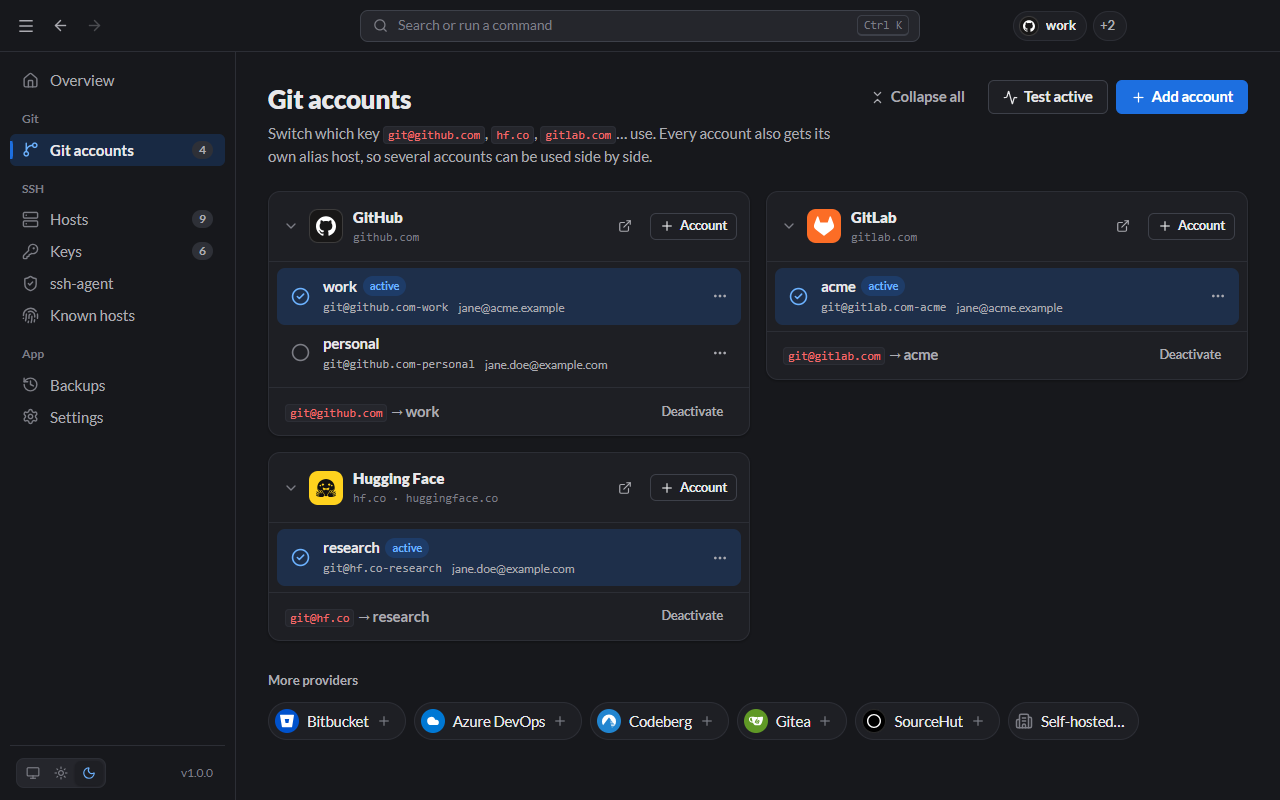
Choose the active account per provider. Plain git@github.com URLs use its key, and commits carry its name and email.
Every account also gets an alias host. Clone with git@github.com-work and that repo stays on work, whatever is active.
Check each account against its provider and see which identity answers, before a push goes out under the wrong one.
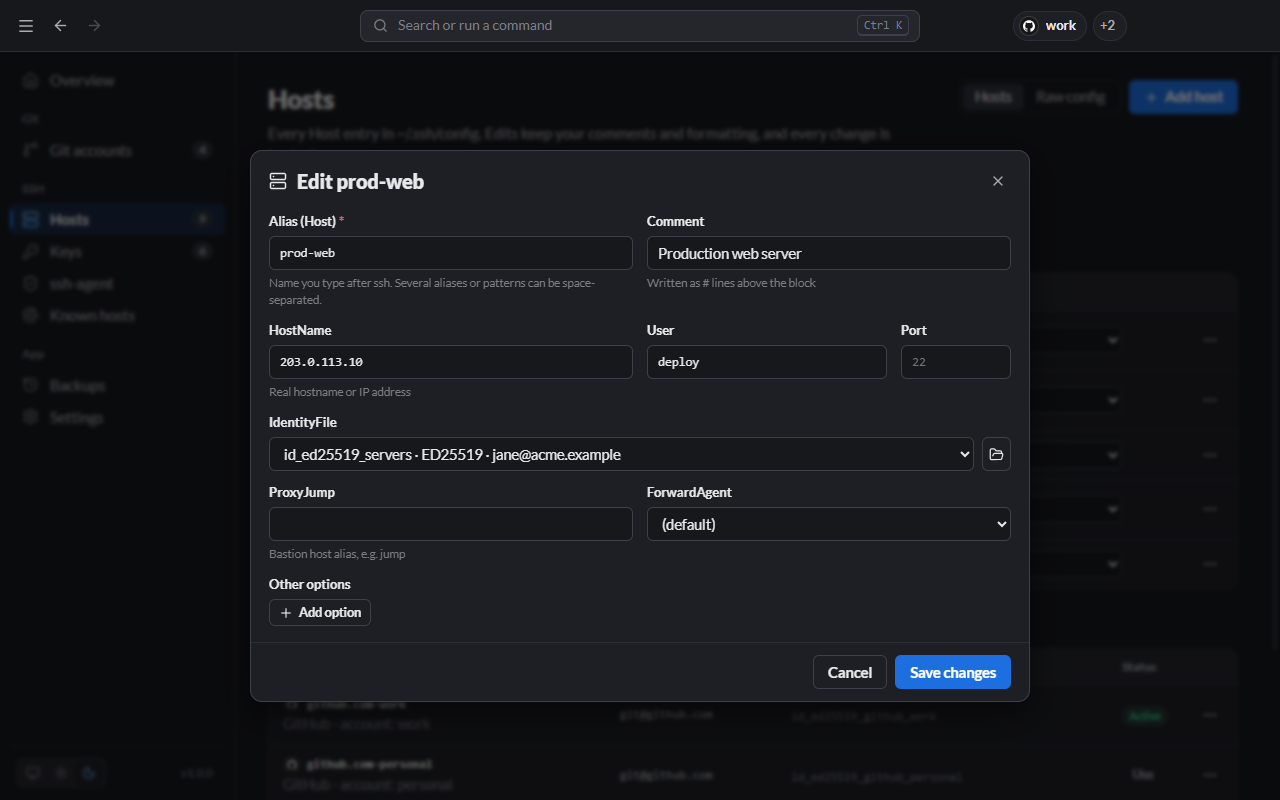
Lanyard reads the Host entries you already have. Edits keep your comments and formatting, and every change is backed up first.
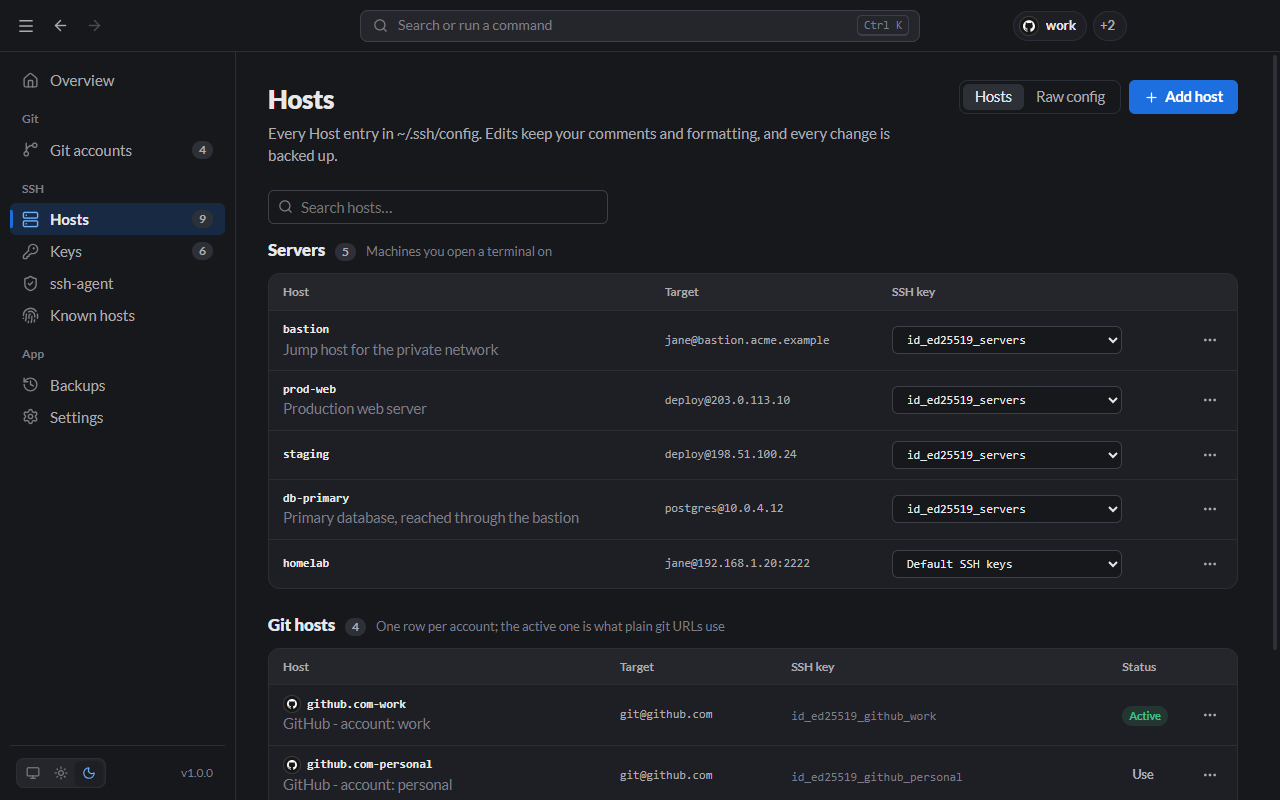
Open a terminal session on any server from the list, the palette or the tray.
Pick the IdentityFile for each host from the keys in ~/.ssh.
Reach private machines through a bastion with ProxyJump or ProxyCommand.
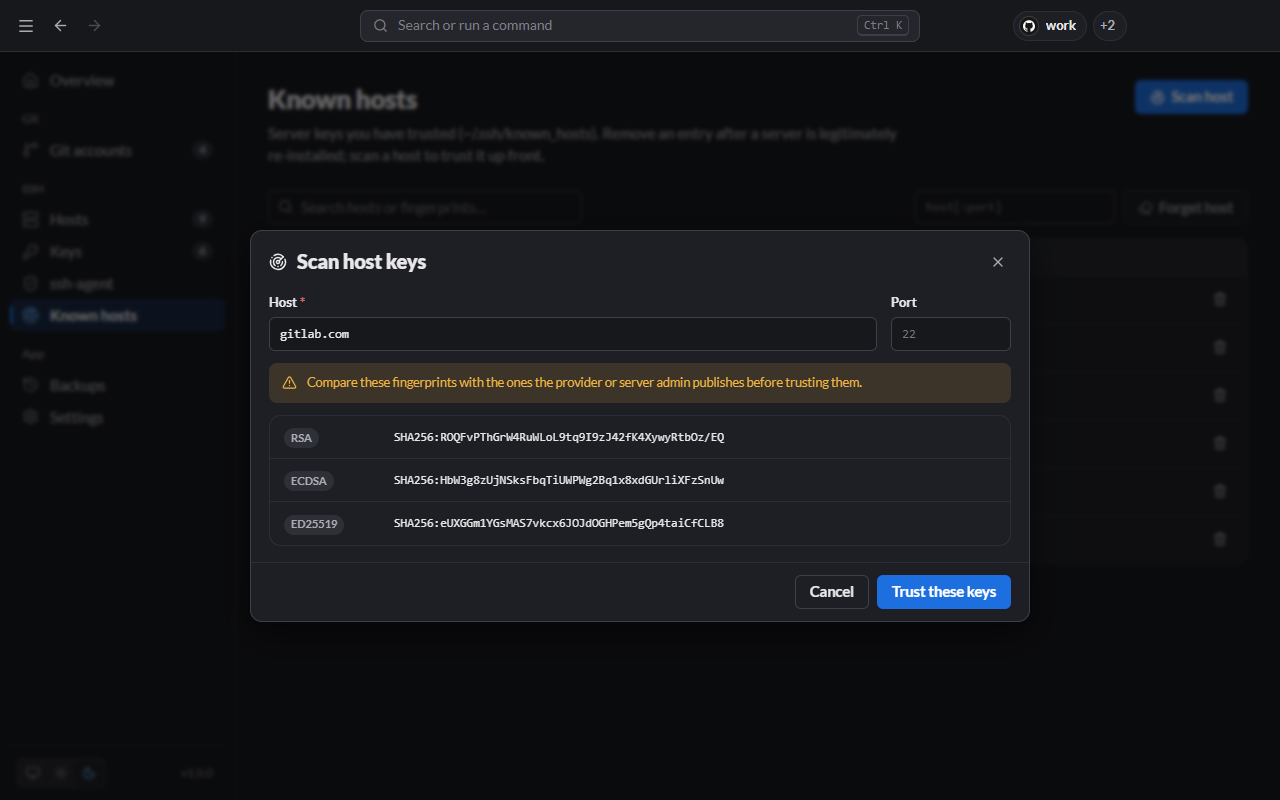
Scan a server, compare its fingerprints with the published ones, then trust it.
Generate keys, add or change passphrases, and see which account or server uses each one.
See whether the agent is running and load keys into it, so a passphrase is asked for once.
Scan a host and check its fingerprints before trusting it. Remove stale entries after a server is rebuilt.
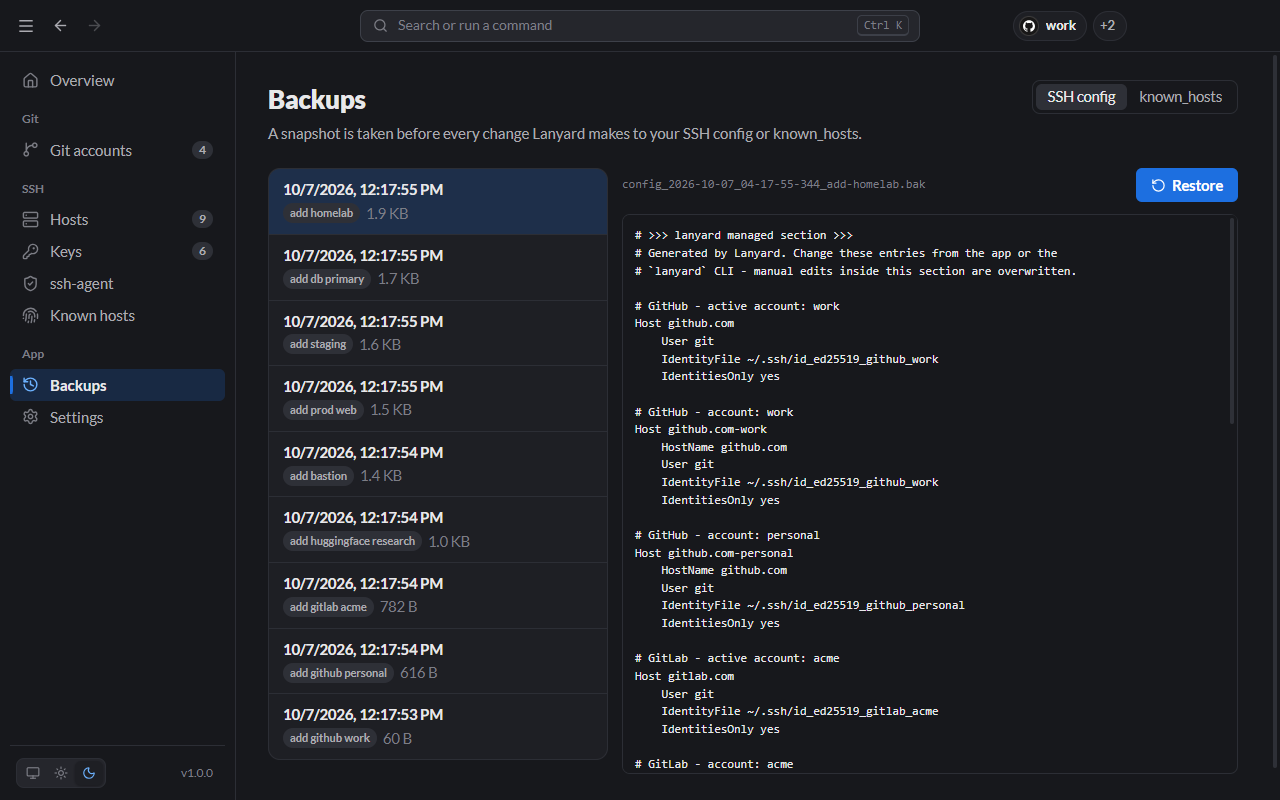
A snapshot of your config or known_hosts is taken before every change. Restore any of them in one click.
Lanyard lives in the tray. Switch an account or connect to a server from its menu without opening the window.
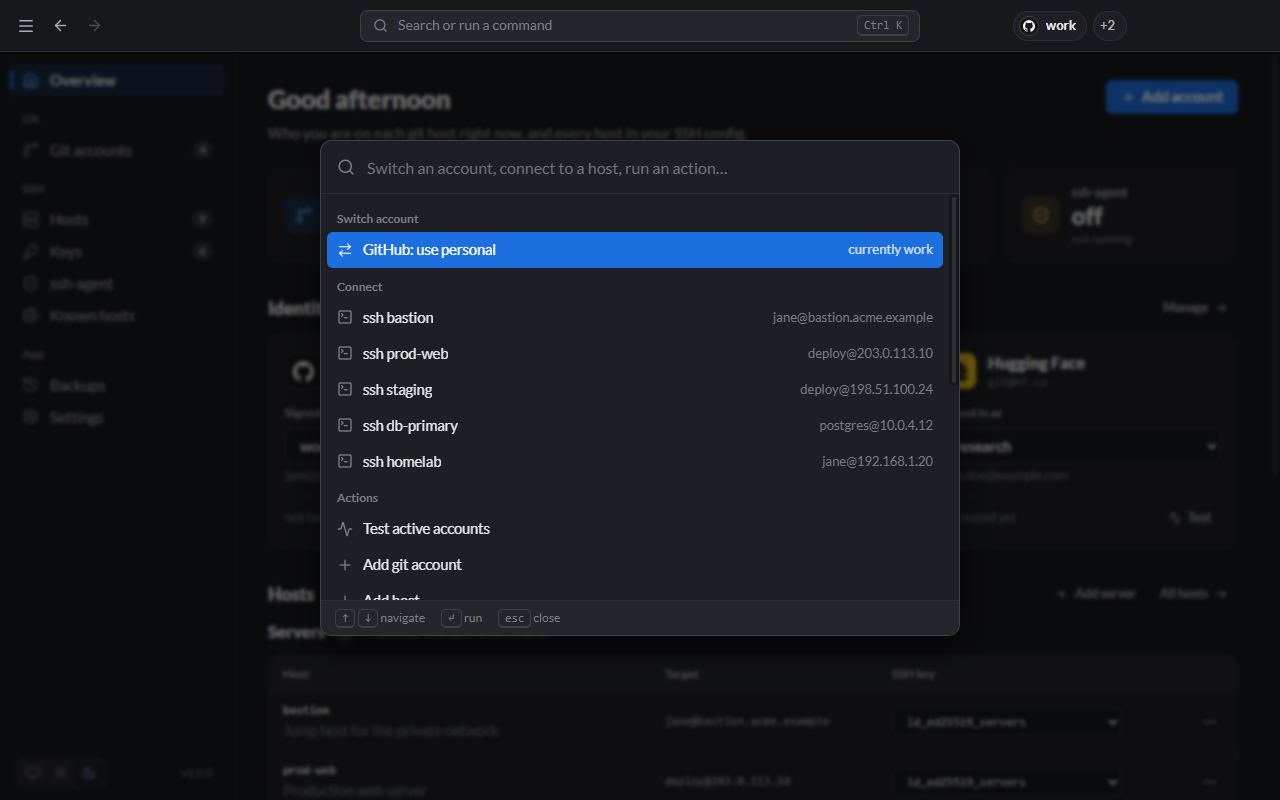
Type to find an account, a host or an action, then press Enter.
↑↓to move,↵to run,escto close.
The app and the lanyard CLI share the same config, so scripts and the window always agree. lny is the short alias.
Install globally
$ npm install -g lanyard-cliOr run without installing
$ npx lanyard-cli statusLanyard writes its entries between two marker comments in ~/.ssh/config. Everything outside them stays exactly as you wrote it.
Your config and known_hosts are snapshotted before each write, and any snapshot can be restored.
The app's window has no access to your files and can only call Lanyard's own API. The source is on GitHub for anyone to review.
They go straight to OpenSSH and are never saved by Lanyard.
Installer, 64-bit · .exe
Disk image · .dmg
Portable · .AppImage
Any platform with Node.js 20+
npm i -g lanyard-cliBuilds are not code-signed yet, so your OS will warn on first launch.
Windows: in the SmartScreen dialog, choose More info → Run anyway.
macOS: right-click Lanyard in Applications and choose Open.
Every file has a signed build attestation and a published checksum. See the code signing policy to verify a download.